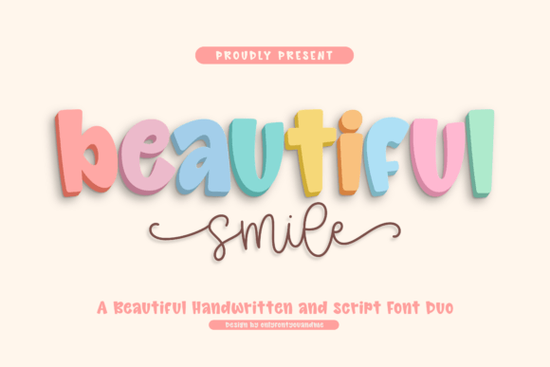
If you need a typeface that feels warm, approachable, and ready for lighthearted projects, Beautiful Smile Font delivers exactly that. This handwritten duo pairs a bold, rounded display style with a smooth script companion, giving you two coordinated fonts that work together without extra guesswork. The chunky main letters keep soft edges and open counters, so your text stays readable even at smaller sizes. The matching script adds gentle monoline strokes and natural swashes that bring movement to logos, product labels, and greeting cards.
What makes this font pair work so well together?
The secret lies in the contrast. The display font carries a puffy, dimensional feel with a slightly bouncy baseline, while the script stays grounded with steady connections and consistent stroke weight. When you place them side by side, the heavy display letters anchor the layout and the flowing script softens the overall look. This balance helps you create hierarchy without relying on extra design elements. You can use the bold style for headlines or product names, then drop the script underneath for taglines, dates, or short messages. The result feels cohesive because both fonts share the same handwritten rhythm and friendly personality.
Where does this style fit best in your projects?
This combination shines in designs that need a cheerful, human touch. Print-on-demand sellers often use rounded display letters for stickers, mugs, and tote bags because the soft shapes print cleanly. Small business owners find the script useful for packaging inserts, thank-you cards, and social media quotes. If you are planning wedding invitations, birthday supplies, or nursery decor, the gentle curves keep everything readable. Crafters working with cutting machines will appreciate how the monoline script weeds smoothly without fragile strokes. When you want to explore similar moods, you might also look at how rounded display styles handle bold headlines, or how light seasonal lettering keeps a relaxed vibe across summer collections.
How do you pair it with other typefaces?
Since the duo already covers display and script, you usually only need a simple sans serif for body text. Stick to clean, neutral fonts that step back and let the handwritten pair lead. Avoid adding another decorative typeface, because the swashes and bouncy baseline already carry plenty of character. If you are building a brand kit, test the display font at different sizes to see how it behaves on dark backgrounds. For a slightly different retro feel, some designers mix in classic vintage displays when they need stronger contrast for posters. When working on food packaging, you can also compare how fresh citrus-inspired letters or quirky handwritten alternatives change the tone.
What should you check before downloading?
Always review the file formats and licensing details before you start a commercial project. Most font bundles include OTF and TTF files, which work across Windows, Mac, and standard design software. If you plan to use the typeface in Cricut Design Space, Silhouette Studio, or Canva, make sure the program supports desktop font installation or web embedding. Check whether the license covers print-on-demand sales, digital products, or client work, since rules vary by creator. You can view the full licensing terms and preview additional glyphs for the Beautiful Smile Font on the official marketplace page.
How do you get the best results when using it?
Handwritten fonts look their best when you give them room to breathe. Increase your line height slightly so the swashes do not collide with the line below. Use tracking sparingly; pulling the letters too far apart breaks the natural connections in the script. When setting long paragraphs, switch to a plain body font and reserve the display and script styles for headings or short callouts. If you are printing on textured cardstock, run a quick test to confirm that the soft edges hold up without blurring. Adjust your contrast or switch to darker ink if the rounded shapes lose definition.
Quick setup checklist before you export:
- Install both the display and script files, then restart your design app to refresh the font menu.
- Test headline sizes between 36 pt and 72 pt to find the sweet spot for readability.
- Set line spacing to 1.2–1.4 times the font size to prevent swash overlap.
- Pair with a neutral sans serif for body copy and limit decorative fonts to one per layout.
- Verify your license covers the intended use, especially for POD listings or client deliverables.
Run a small print or digital mockup, check the spacing, and adjust your hierarchy before finalizing. Once the layout feels balanced, you will have a clean, friendly design that connects with your audience without extra effort.
Get Started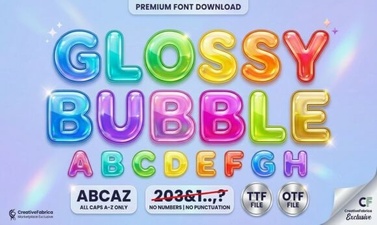 Get Creative with Glossy Bubble Fonts
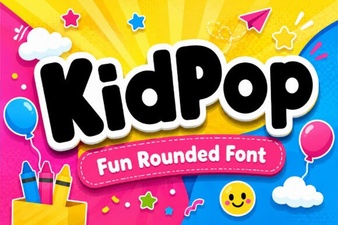 Kidpop Fonts: Playful Designs for Creative Projects
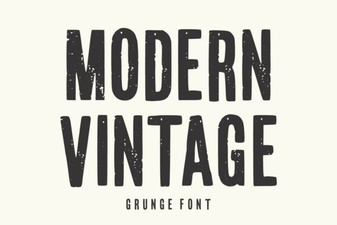 Modern Vintage Fonts for Creative Design Projects
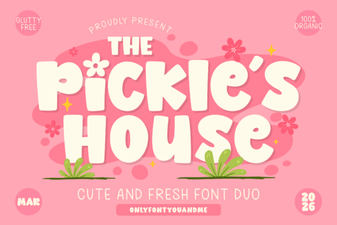 Design with the Pickles House Font
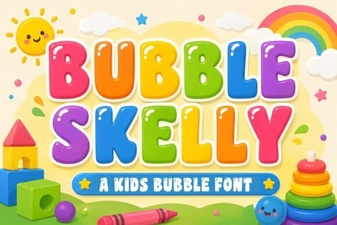 The Bubble Skelly Font for Creative Designs
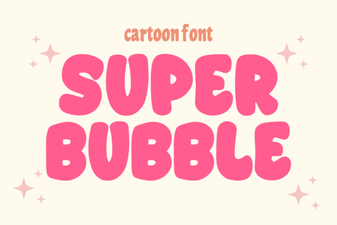 Super Bubble Font: Design Ideas & Creative Uses