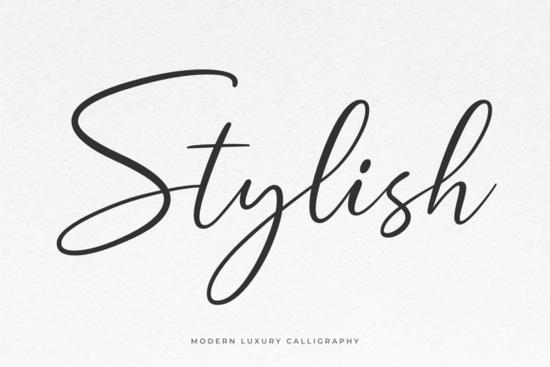
If you need a typeface that feels both polished and approachable, Stylish Font delivers exactly that. This modern calligraphic script carries a smooth, natural rhythm that works beautifully across branding, invitations, and everyday craft projects. Instead of forcing a formal or overly decorative look, it keeps letterforms clean and readable while adding just enough personality to make your designs feel intentional. Whether you are laying out a wedding suite, creating product labels for a small shop, or designing quote graphics for social media, the flowing strokes and balanced spacing save you time on manual adjustments.
What makes this calligraphy typeface stand out for everyday projects?
Script fonts often struggle with legibility when scaled down, but this one maintains clear character shapes even at smaller sizes. The baseline variation is subtle enough to feel hand-drawn without looking messy, and the connecting letters flow naturally without awkward gaps. You will also notice that the weight distribution stays consistent, which matters when you are printing on textured paper or transferring designs onto fabric. For print-on-demand sellers and small business owners, that consistency means fewer test prints and faster turnaround times.
Which design projects work best with a modern script like this?
Because the letterforms strike a balance between elegance and readability, you can stretch this typeface across several creative workflows. Here are a few places where it consistently performs well:
- Branding & logos: Perfect for boutique names, cafe signage, and handmade product tags
- Event stationery: Wedding invitations, save-the-dates, and birthday cards that need a refined touch
- Digital graphics: Instagram quotes, Pinterest pins, and website headers that require quick visual hierarchy
- Craft & POD items: Mugs, tote bags, t-shirts, and stickers where clean cut lines matter for vinyl or DTG printing
When you are building a layout, remember that script typefaces work best when they carry the main message. Let supporting text stay simple so the composition does not feel crowded.
How do I access the extra swashes and alternate glyphs?
The file comes fully PUA encoded, which means you do not need professional design software to reach the alternate characters. Programs like Cricut Design Space, Silhouette Studio, and Canva can pull the extra swashes, ligatures, and stylistic sets without extra steps. If you are working in Illustrator or Photoshop, simply open the Glyphs panel to browse the full character map. Adding a beginning or ending flourish to a single word can completely change the mood of a layout, and having those alternates ready to click saves you from manually drawing extensions.
What should I pair it with for a balanced layout?
A flowing script always needs a grounded partner. Clean sans-serifs or lightweight serifs create the right contrast without competing for attention. If you are exploring other script options for multi-font projects, you might compare how this one handles spacing against alternatives like a softer handwritten style or a more romantic brush script. For layouts that need a slightly bolder handwritten feel, a thicker marker-style typeface can work well for subheadings, while a lighter, airy script fits nicely on delicate packaging. When you want to keep everything in the same family, sticking with the original modern calligraphy file ensures consistent stroke width across all your assets.
Is it worth adding to your creative toolkit?
If you regularly design invitations, social graphics, or small-batch merchandise, having a reliable modern script on hand cuts down on font hunting and layout tweaking. The PUA encoding, smooth connections, and readable proportions make it a practical choice for both beginners and experienced designers. You can preview how it performs across different mediums before committing, and many creators find that Stylish Font integrates smoothly into existing brand kits and craft workflows. The real value comes from how quickly you can move from concept to finished file without fighting against awkward letter spacing or missing characters.
Quick setup checklist before you start designing:
- Install the OTF or TTF file and restart your design software
- Open the Glyphs panel to locate swashes, alternates, and punctuation sets
- Test the font at 12pt, 24pt, and 48pt to check readability for your specific medium
- Pair it with a simple sans-serif for body text and keep line spacing around 1.4–1.6 for optimal readability
- Always test cut settings before running a full batch of vinyl decals or heat transfer prints
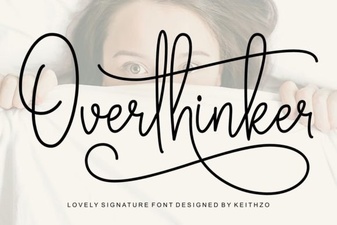 Overthinker Font: the Designer's Ultimate Tool
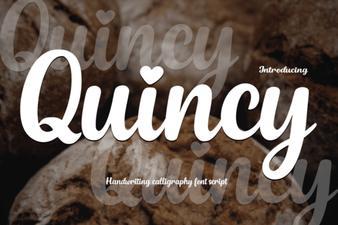 Quincy Font: Creative Design for Modern Projects
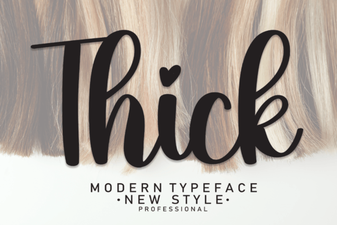 Design Projects with Bold Thick Fonts
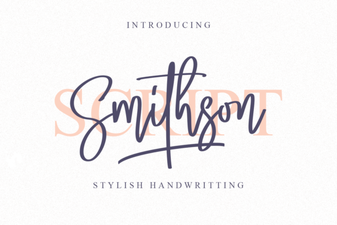 Smithson Font: Free Serif Style for Modern Designs
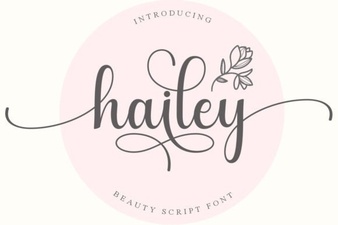 Hailey Font: Creative Styles for Modern Projects
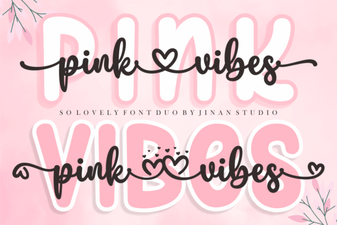 Pink Vibes Duo Font for Creative Designs