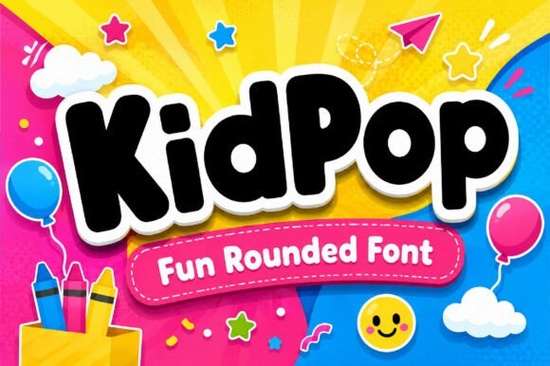
What makes this bubble style work for kids’ projects?
The secret lies in the letterforms. Each character uses generous spacing, smooth edges, and consistent stroke weight, which helps young readers process words faster. When designing early-learning materials or toy packaging, clarity matters just as much as personality. This font balances both by keeping shapes full and open, so letters never blend together. You also get capitals, lowercase, numbers, and punctuation, so you can build headlines or activity sheets without switching typefaces.
If you enjoy rounded display styles, you might also browse a glossy bubble style when you need a shinier finish for digital mockups. For projects that require a grounded feel, a straightforward humanist typeface can quietly support your main headline.
Where does a playful display typeface fit best?
This style shines in short-form text. Think book covers, family channel thumbnails, event posters, and merch designs that rely on quick visual impact. Because the strokes are thick and uniform, the font holds up well on fabric prints, vinyl decals, and matte paper. Small business owners often use it for seasonal promotions or classroom charts where a warm tone matters more than corporate polish.
- Print-on-demand: T-shirts, tote bags, and mugs with short, upbeat phrases
- Digital products: Printable planners, coloring book covers, and worksheet headers
- Social graphics: Story templates, reel covers, and pinned posts that need instant readability
- Packaging: Toy boxes, snack labels, and craft kit sleeves
When you need a contrasting style for body copy, pairing it with a light, rounded companion keeps the layout cohesive. If your brand leans nostalgic, a retro-leaning display option can add warmth to subheadings while letting the bubble letters stand out.
How do you get the most out of this font in your workflow?
Start by testing your headline at the actual print or screen size. Bubble fonts often look heavier on paper, so increase letter spacing by five to ten percent for cleaner edges. Stick to one or two lines per design block, and let white space do the work. If you add outlines, keep the stroke thin so the curves stay intact. For cutting machine users, convert text to outlines and weld overlapping paths to prevent cut errors.
You can explore the full character set and licensing details on the main Kidpop listing to verify commercial terms. Many creators also cross-reference options by searching for Kidpop Font to compare file formats and bundle discounts before buying.
What should you check before adding it to your library?
Always verify three details before installing. First, confirm the download includes both .OTF and .TTF files so your software reads them correctly. Second, review the commercial license to see if print-on-demand sales or client work are covered. Third, test tricky combinations like stacked numbers to ensure spacing feels natural. A quick test now saves reuploads later.
Quick next steps:
- Install the font and type out your longest headline to check weight and spacing
- Print a small test sheet on your target material (cotton, cardstock, or vinyl)
- Pair it with a simple sans-serif for body text and keep the bubble style for titles only
- Save a branded text preset in your design tool so future projects stay consistent
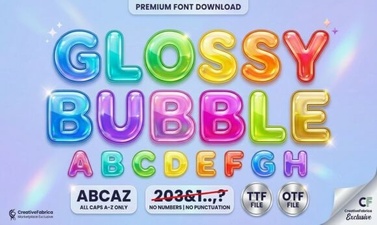 Get Creative with Glossy Bubble Fonts
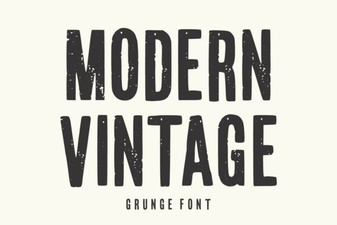 Modern Vintage Fonts for Creative Design Projects
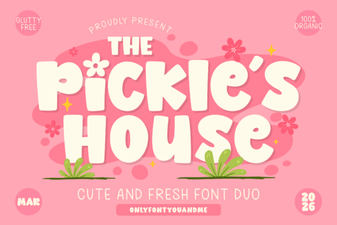 Design with the Pickles House Font
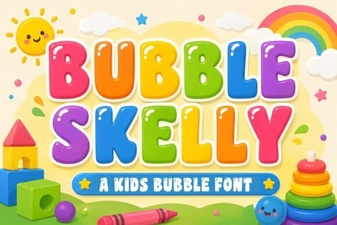 The Bubble Skelly Font for Creative Designs
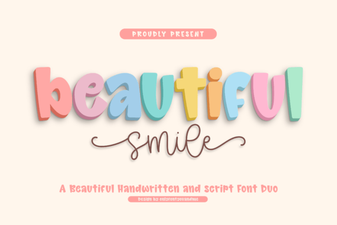 Beautiful Smile Fonts for Designers & Creatives
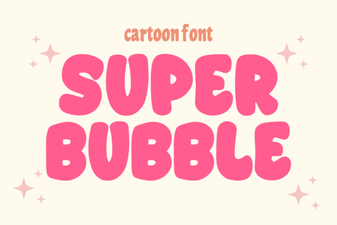 Super Bubble Font: Design Ideas & Creative Uses