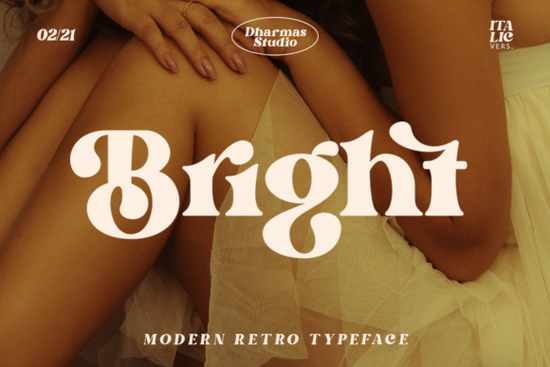
What makes this serif style work for retro and modern projects?
The letterforms draw clear inspiration from 1960s and 1970s editorial design, yet they avoid the heavy edges that can make retro type hard to read on screens. The strokes are confident and evenly weighted, which keeps paragraphs legible while giving headlines a distinct personality. Because the design stays grounded in classic serif proportions, you can scale it down for product labels or blow it up for wall art without losing clarity. The open counters also help ink spread less on textured paper, which matters for screen printing or small-batch merchandise.
Where does a bold serif like this fit best in your workflow?
This typeface shines when you need immediate visual impact. Print-on-demand sellers use it for quote tees and mugs where the message must stand out at a glance. Small business owners often choose it for packaging stickers and shop signage because the retro warmth feels approachable. Crafters working with cutting machines appreciate how the clean lines weed easily, while graphic designers rely on it for magazine spreads and social templates. If you are building a cohesive brand kit, you might also explore how a softer option like the designs found in our lighter serif collection can balance heavier headlines.
How do you get the most out of the alternates and ligatures?
One of the most practical features here is the PUA encoding, which means every alternate character and ligature is accessible without software workarounds. You get more than fifty unique variations that let you swap standard letters for stylized versions. In Illustrator, Photoshop, or Cricut Design Space, open the glyphs panel to preview and insert these options directly. Try mixing a few alternates into short phrases rather than replacing every letter. A single swapped character often adds enough vintage flair without cluttering the text. When you need a different rhythm for longer paragraphs, browsing our classic serif archive can help you find a complementary body option.
What should you pair it with for balanced layouts?
Strong serifs work best when they share the page with simpler typefaces. A clean sans serif for body copy keeps your design readable while letting the headline carry the personality. If you are creating a product catalog, stick to two or three font families total. Use the bold weight for titles, a regular weight for subheadings, and a neutral sans for descriptions. You can also test how it interacts with other display styles by checking out the full serif showcase to see how different weights sit together on a mockup. Leave plenty of white space around large letters so the retro details breathe.
Is the license straightforward for commercial projects?
Most creators want clear usage terms before adding a new typeface to their toolkit. This family comes with a standard commercial license that covers digital products, physical merchandise, and client work. You can use it on websites, in printable files, and on items you sell through your own shop. Always double-check the latest license details on the product page, especially if you plan to embed the font in software. For quick reference, you can view the official Bright Font listing to confirm file formats and support options.
Before you export your final design, run through this quick checklist:
- Turn on the glyphs panel and test three alternates in your headline
- Check contrast ratios if the text appears on colored backgrounds
- Print a small proof to verify ink spread and cutting lines
- Pair the display weight with a simple sans serif for body copy
- Confirm your license covers the intended sales channel
Save your favorite glyph combinations as a style preset, and you will cut your layout time in half on the next project.
Download Now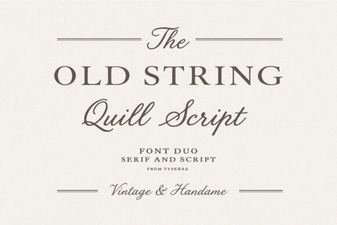 Old String Font Designs for Modern Creativity
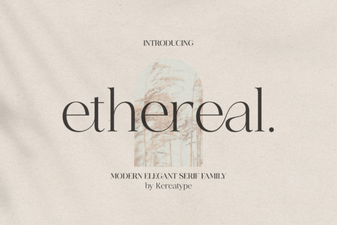 Ethereal Fonts for Creative Design Projects
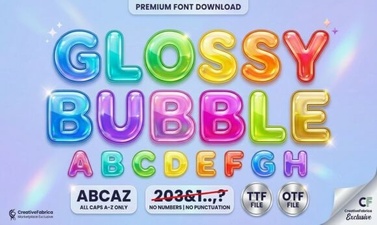 Get Creative with Glossy Bubble Fonts
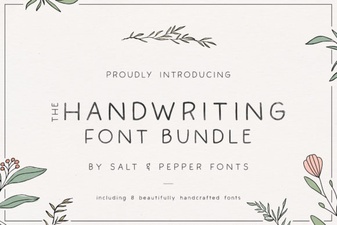 Craft Authentic Projects with Handwriting Fonts
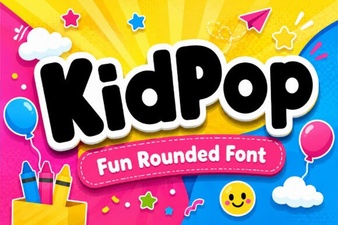 Kidpop Fonts: Playful Designs for Creative Projects
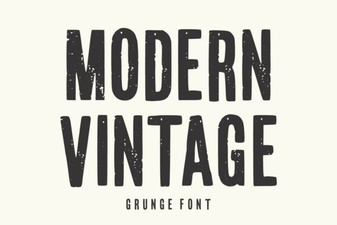 Modern Vintage Fonts for Creative Design Projects