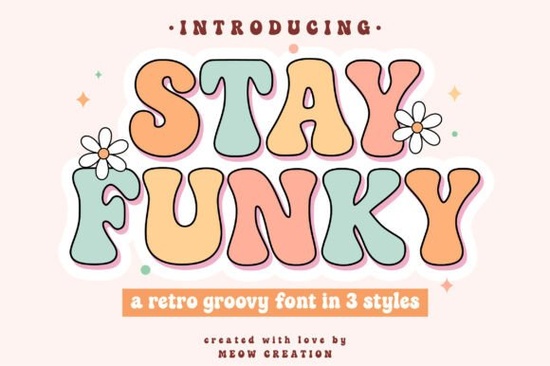
If you need a typeface that captures warm, 1970s nostalgia without feeling dated, Stay Funky Font delivers exactly that balance. It is a bold, playful display typeface built around curvy letterforms and bubbly shapes that work seamlessly for modern crafting and digital design. Whether you run a print-on-demand shop, cut vinyl with a Cricut, or create social media graphics for a small business, this collection gives you three distinct styles to experiment with right out of the box.
What makes this retro typeface stand out?
The package includes Regular, Outline, and Shadow variations. Layer the outline over the regular style for a quick two-tone effect, or use the shadow version to add depth without manually creating drop shadows. The letterforms lean into that classic hippie-era aesthetic, but spacing and baseline consistency are cleaned up for modern readability. You will not wrestle with awkward kerning when setting short headlines.
Crafters who work with Silhouette Studio or Cricut Design Space will appreciate the ready-to-cut SVG files. They bypass installation steps and scale perfectly for vinyl decals and heat transfer projects. Designers who prefer Illustrator, Canva, or Photoshop can simply install the OTF or TTF files and start typing normally.
Which projects work best with these letterforms?
Display fonts with heavy curves shine brightest when they have room to breathe. This typeface is built for short, impactful text rather than long paragraphs. Here are the formats where it performs well:
- Apparel and tote bags: Bold strokes hold up nicely on fabric, especially when cut from heat transfer vinyl.
- Stickers and labels: The outline style creates clean borders for die-cutting, while the regular style fills small spaces clearly.
- Social media quotes: Bubbly shapes grab attention on mobile screens, and the vintage vibe pairs well with muted palettes.
- Small business branding: Use it for headlines or sale announcements where a friendly tone matters more than corporate formality.
If you enjoy mixing typefaces, this one sits comfortably alongside cleaner sans-serif fonts. When exploring other display options, you might browse a rounded bubble style for kids’ products, or test a heavier summer weight for seasonal promotions. A friendly handwritten alternative can balance out bold curves, while a refined retro pairing keeps layouts polished. You can always return to the main collection page when you are ready to download.
How do you get the most out of the files?
Install the font files through your operating system’s font manager, then restart your design program. If you are cutting vinyl, convert your text to outlines before sending it to your machine. This prevents missing font errors and ensures the cutter follows the exact curves you designed.
When layering styles, duplicate your text box, apply the outline version to the bottom layer, and nudge it slightly downward. This creates a clean offset look that mimics vintage screen printing. Keep your color palette simple, since complex gradients can muddy thick letterforms. If you want to see how other creators style retro typefaces, you can browse Stay Funky Font for additional layout ideas and matching graphics.
What should you check before adding it to your toolkit?
Confirm the license covers your intended use, especially for selling physical products or templates. Test the font at different sizes, since heavy retro letters lose detail when scaled down. Keep headlines above 24pt for print and 18px for web. Check character support for accents or numbers, and verify your software supports layering before combining styles.
Quick setup checklist before you start designing
- Install the OTF/TTF files and restart your design app
- Test the regular, outline, and shadow styles at your intended print size
- Convert text to paths if you are sending files to a cutter or printer
- Pair with a simple sans-serif for body copy to keep layouts readable
- Verify commercial license terms for print-on-demand or digital sales
Open your preferred design program, type out a short headline, and experiment with the three included styles. Once you see how the layers interact, you will have a clear starting point for your next retro-inspired project.
Get Started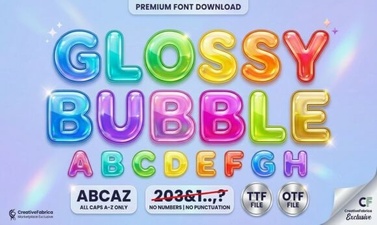 Get Creative with Glossy Bubble Fonts
 Kidpop Fonts: Playful Designs for Creative Projects
 Modern Vintage Fonts for Creative Design Projects
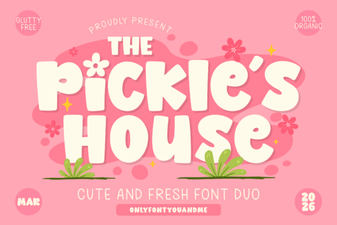 Design with the Pickles House Font
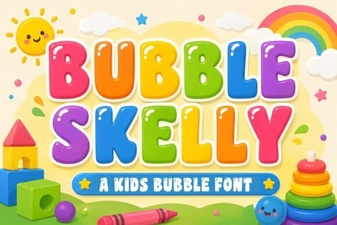 The Bubble Skelly Font for Creative Designs
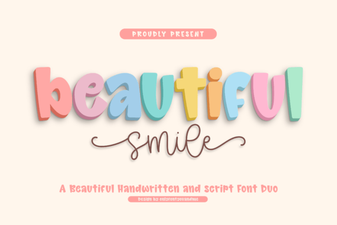 Beautiful Smile Fonts for Designers & Creatives